SKU: OT704-C87 Artikelnummer: AB039 EAN: 8029313760373

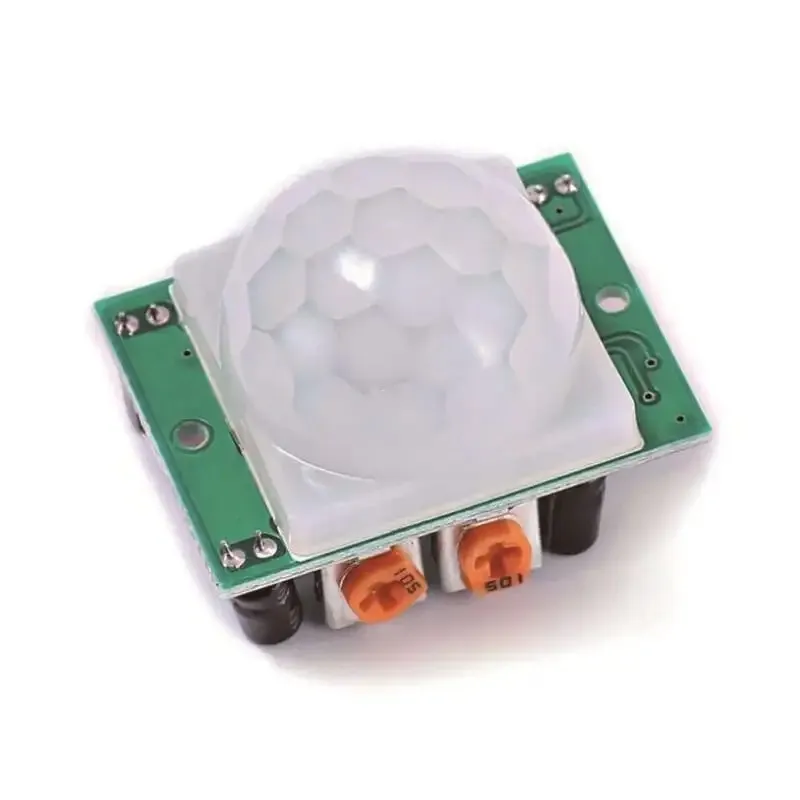
Der HC-SR501 PIR-Bewegungsmelder ist ein Infrarot-Bewegungssensor mit den folgenden Spezifikationen:
– Erfassungsbereich: 3-7m.
– Verzögerung: 5-200s
– Ausgangsspannung: 3.3V
- Betriebsspannung: 4.5-20V
– Erfassungswinkel: <140°.
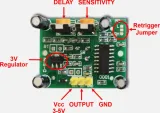
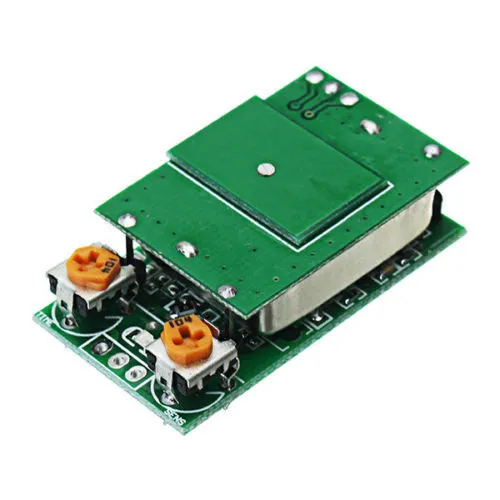
Der HC-SR501 PIR-Bewegungsmelder erkennt Bewegung per Infrarot. Wenn eine Bewegung erkannt wird, gibt er ein 3.3v-Signal am Ausgangspin aus; die Zeit ist über das Potentiometer VR1 einstellbar. Der Erfassungsbereich ist über das Potentiometer VR2 von 3-7 Meter einstellbar.
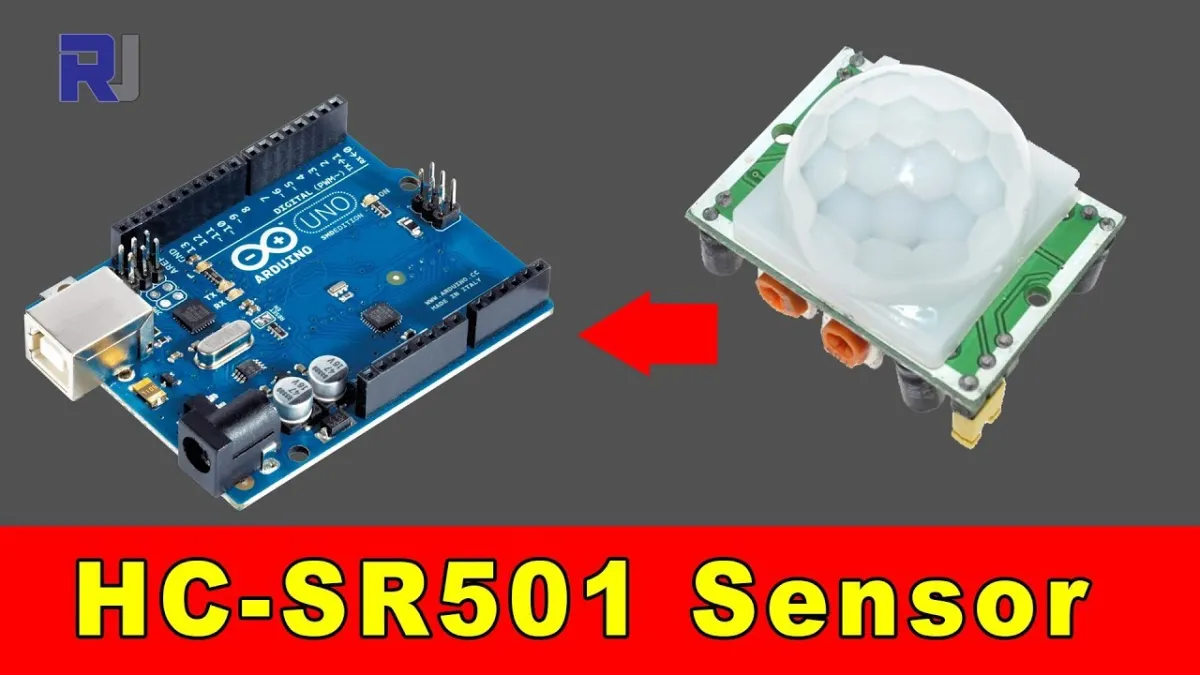
Beim Abspielen wird das Video von YouTube geladen.
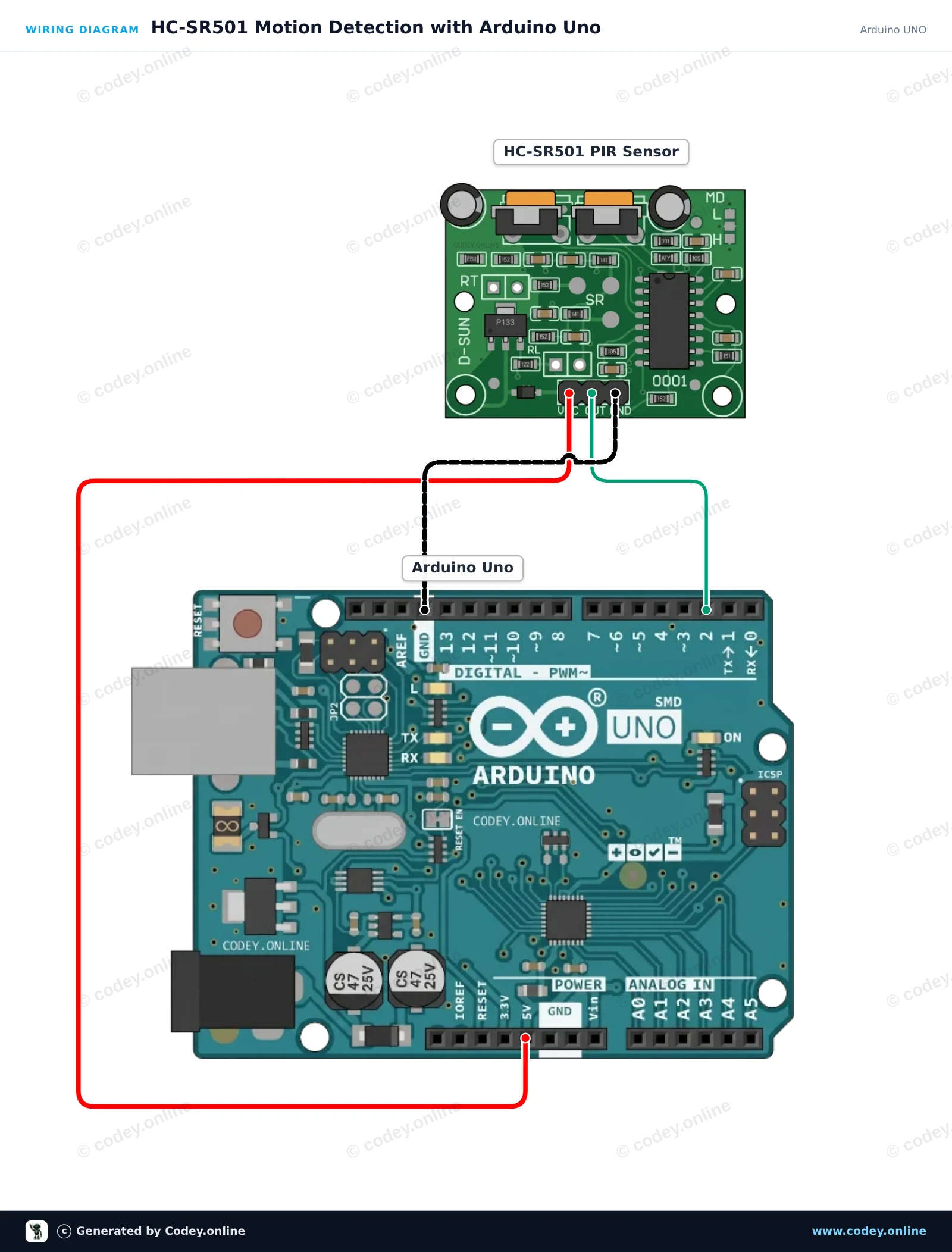
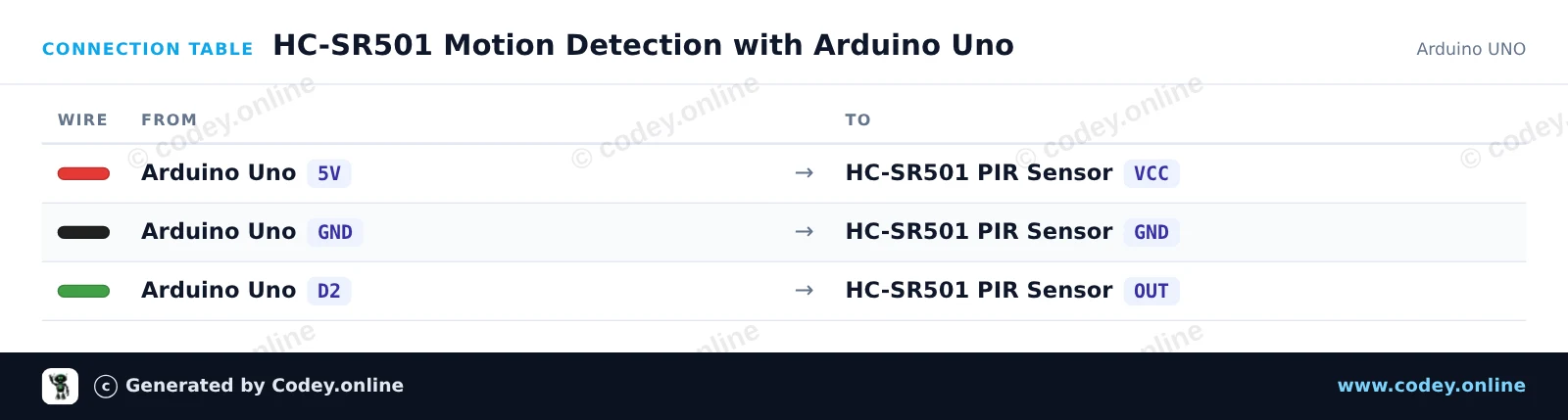
So schließt du den PIR-Sensor HC-SR501 Bewegungsmelder an einen Arduino UNO oder ESP32 an, mit einem Beispiel-Sketch, den du direkt hochladen kannst.
Dieses Projekt erkennt menschliche Bewegungen mithilfe des HC-SR501 PIR-Sensors. Wenn eine Bewegung erkannt wird, wechselt der Ausgangspin des Sensors auf HIGH, wodurch die onboard LED aufleuchtet und eine Meldung im Serial Monitor ausgegeben wird. Öffnen Sie den Serial Monitor mit 115200 baud, um den Bewegungsstatus in Echtzeit anzuzeigen.
/*
 * ==================================================================
 *  Generated by Codey.online  —  https://www.codey.online
 * ==================================================================
 *  Project   : HC-SR501 Motion Detection with Arduino Uno
 *  Board     : Arduino UNO (arduino:avr:uno)
 *  Parts     : HC-SR501 PIR Motion Sensor
 *  Libraries : none (built-in)
 *
 *  Codey Online is an AI-powered browser IDE for Arduino and ESP32.
 *  Describe your project and Codey writes the code, draws the wiring
 *  diagram and uploads it to your board, straight from the browser.
 *  This code is free to use, modify and share, without warranty.
 * ==================================================================
 */

// HC-SR501 PIR Motion Sensor Demo

const int PIR_PIN = 2;
const int LED_PIN = 13;

int lastState = LOW;

void setup() {
  pinMode(PIR_PIN, INPUT);
  pinMode(LED_PIN, OUTPUT);

  Serial.begin(115200);
  Serial.println(F("HC-SR501 PIR Motion Sensor Initialized"));
  Serial.println(F("Warming up sensor (approx. 30-60 seconds)..."));
}

void loop() {
  int motionState = digitalRead(PIR_PIN);

  if (motionState != lastState) {
    if (motionState == HIGH) {
      digitalWrite(LED_PIN, HIGH);
      Serial.println(F("Motion detected!"));
    } else {
      digitalWrite(LED_PIN, LOW);
      Serial.println(F("Motion ended."));
    }
    lastState = motionState;
  }

  delay(100);
}Wiring diagram and example code generated by Codey.online — https://www.codey.online
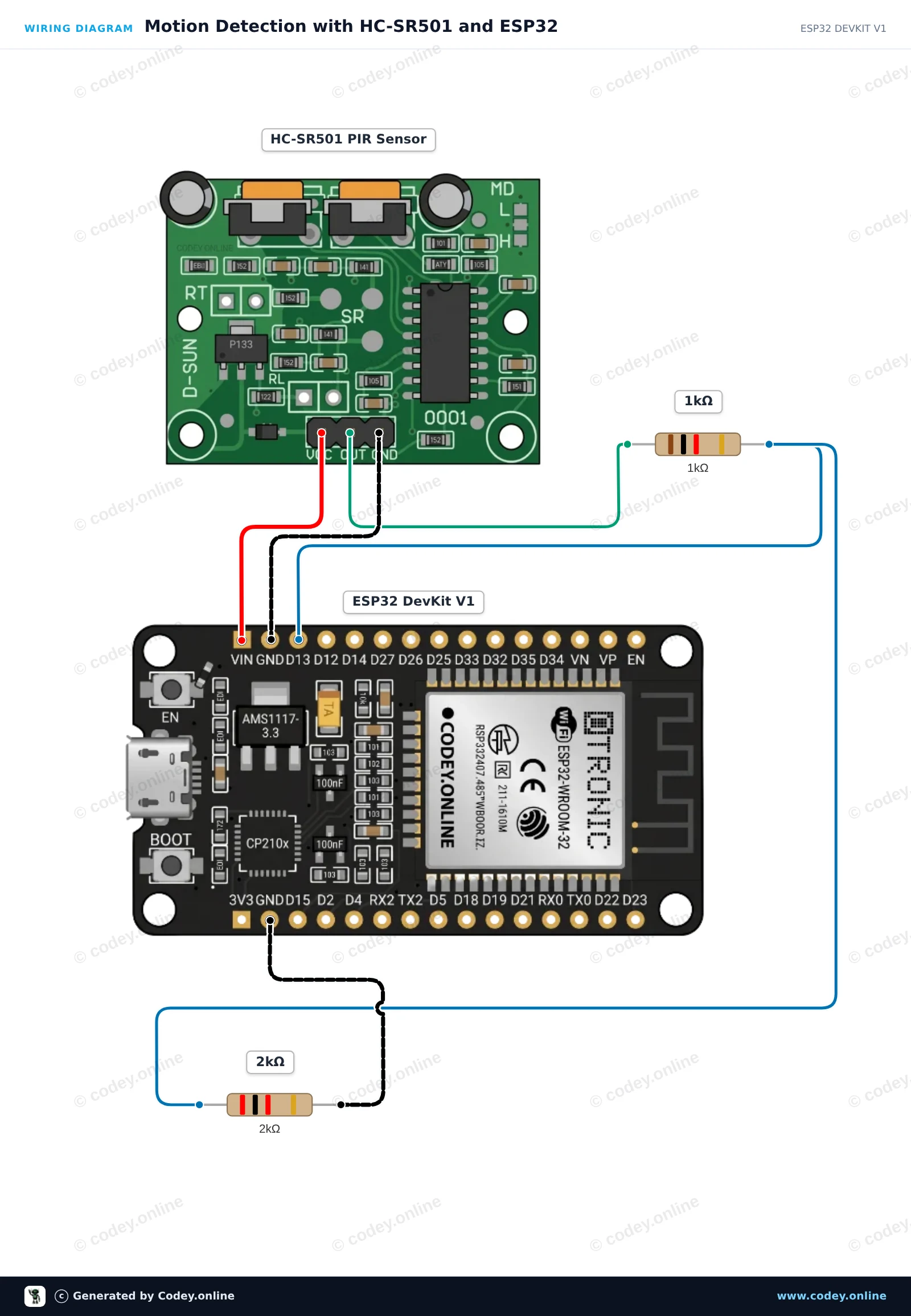
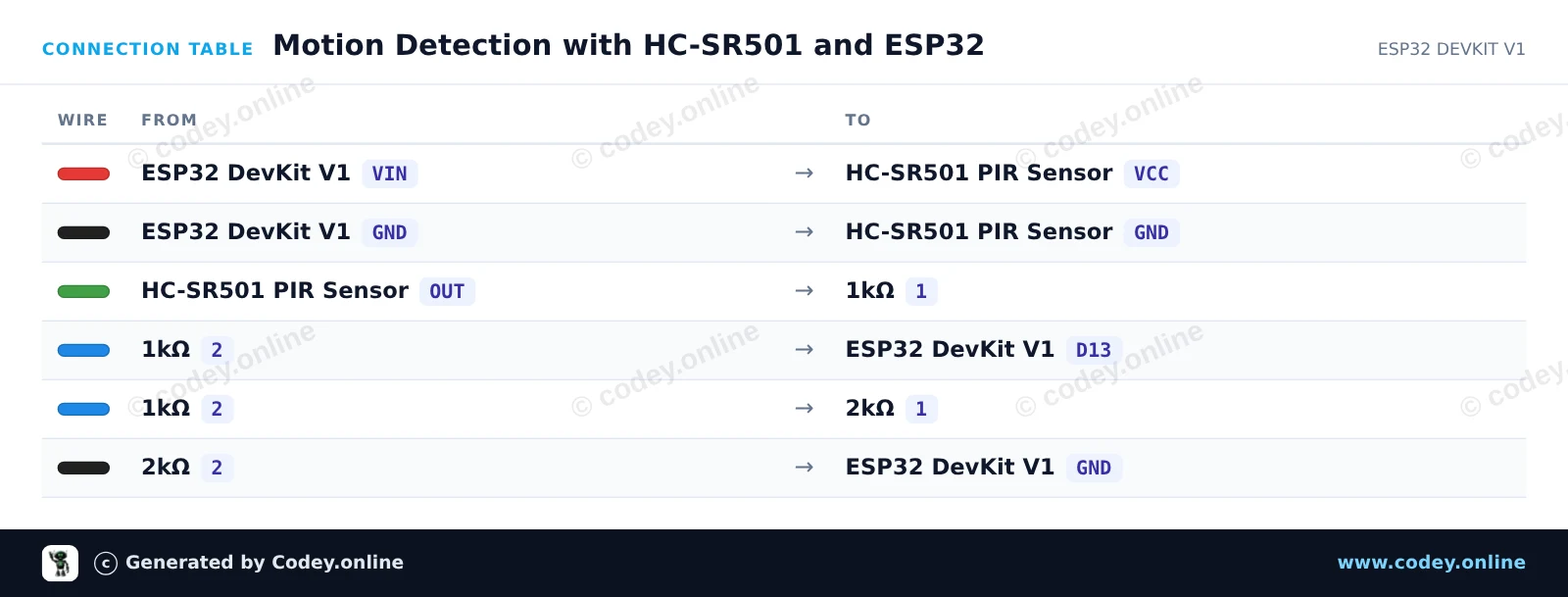
Dieses Projekt erkennt Bewegungen mit einem HC-SR501 PIR-Sensor. Der Sensor wird über den 5V VIN-Pin versorgt, und ein Spannungsteiler aus 1kΩ/2kΩ Widerständen verbindet den Sensorausgang sicher mit dem 3.3V-Eingang des ESP32. Wenn eine Bewegung erkannt wird, leuchtet die onboard LED auf und eine Benachrichtigung wird an den Serial Monitor gesendet.
/*
 * ==================================================================
 *  Generated by Codey.online  —  https://www.codey.online
 * ==================================================================
 *  Project   : Motion Detection with HC-SR501 and ESP32
 *  Board     : ESP32 DEVKIT V1 (esp32:esp32:esp32doit-devkit-v1)
 *  Parts     : HC-SR501 PIR Motion Sensor
 *  Libraries : none (built-in)
 *
 *  Codey Online is an AI-powered browser IDE for Arduino and ESP32.
 *  Describe your project and Codey writes the code, draws the wiring
 *  diagram and uploads it to your board, straight from the browser.
 *  This code is free to use, modify and share, without warranty.
 * ==================================================================
 */

// HC-SR501 PIR Motion Sensor Demo
const int PIR_PIN = 13;      // Connected to HC-SR501 OUT via divider
const int LED_PIN = 2;       // Onboard LED

int lastState = LOW;

void setup() {
  Serial.begin(115200);
  pinMode(PIR_PIN, INPUT);
  pinMode(LED_PIN, OUTPUT);

  Serial.println("HC-SR501 Sensor warming up (approx. 30-60s)...");
  delay(2000);
  Serial.println("Ready to detect motion.");
}

void loop() {
  int motion = digitalRead(PIR_PIN);

  if (motion != lastState) {
    if (motion == HIGH) {
      digitalWrite(LED_PIN, HIGH);
      Serial.println("Motion detected!");
    } else {
      digitalWrite(LED_PIN, LOW);
      Serial.println("Motion ended.");
    }
    lastState = motion;
  }

  delay(50);
}Wiring diagram and example code generated by Codey.online — https://www.codey.online





 English
  Nederlands
  Frans
Frans  Italiano
  Español
  Suomi
Suomi  Polski
  Dansk
Dansk  Ελληνικά
  Български
  Čeština
  Hrvatski
  Aileen