SKU: OT3331 Artikelnummer: AB080 EAN: 8720589817005

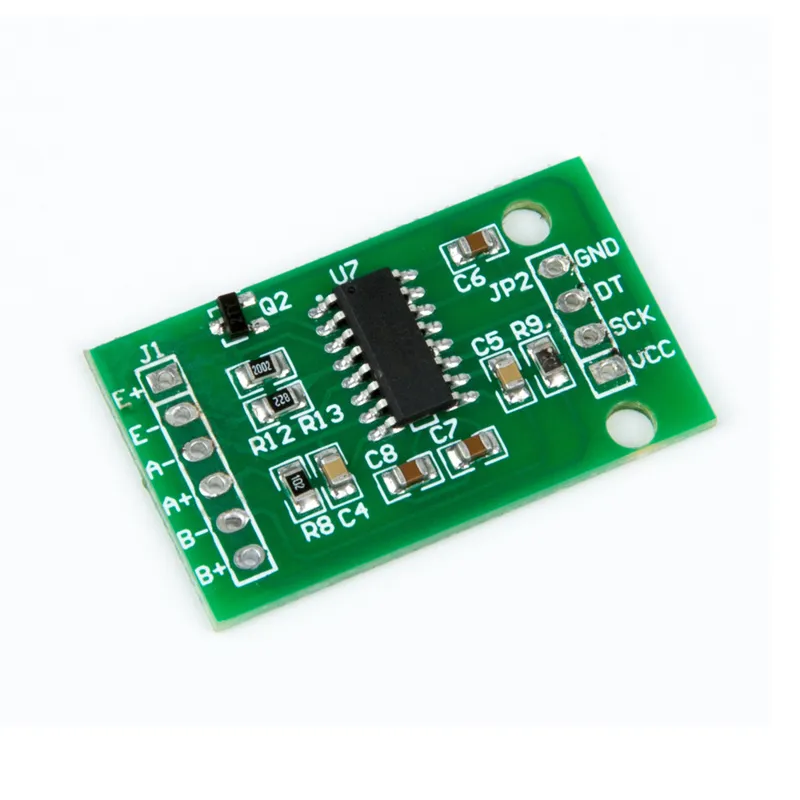
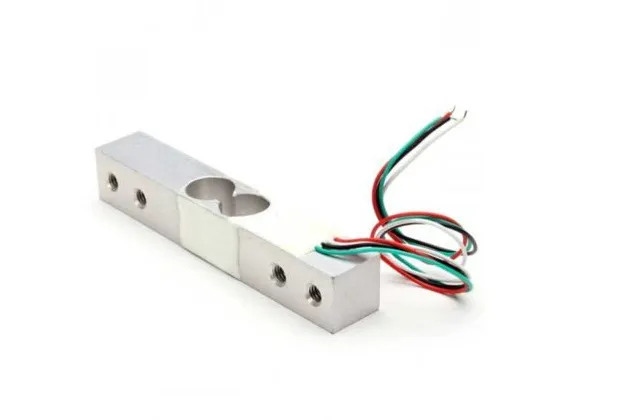
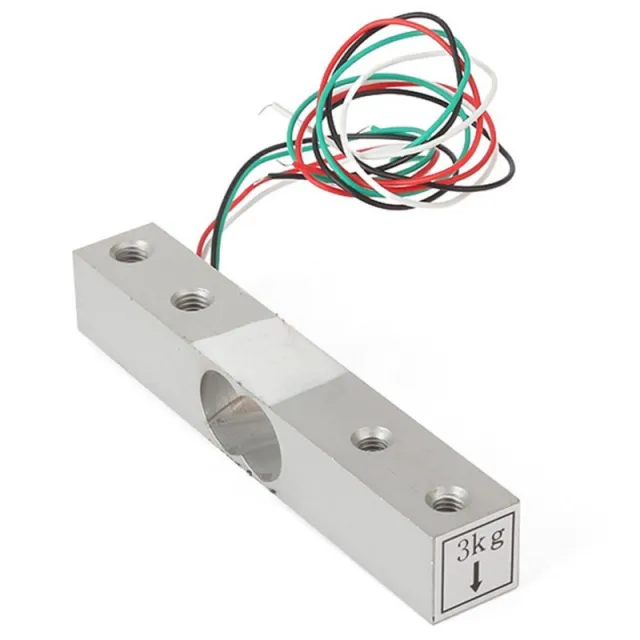
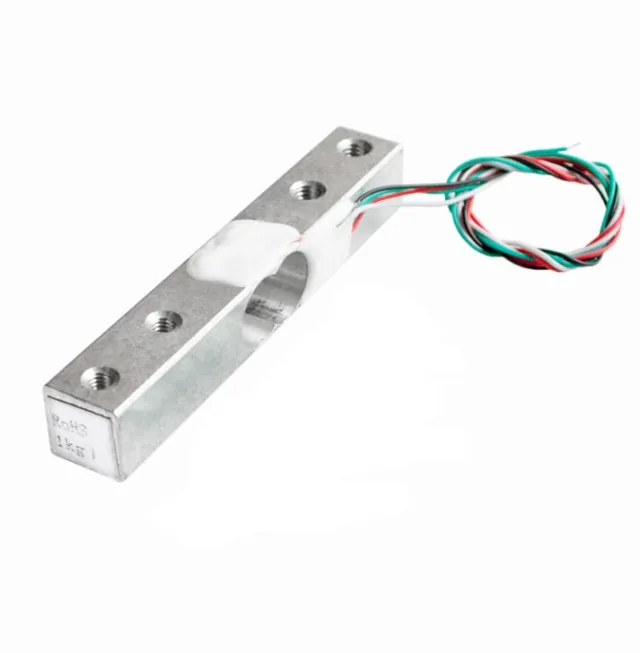
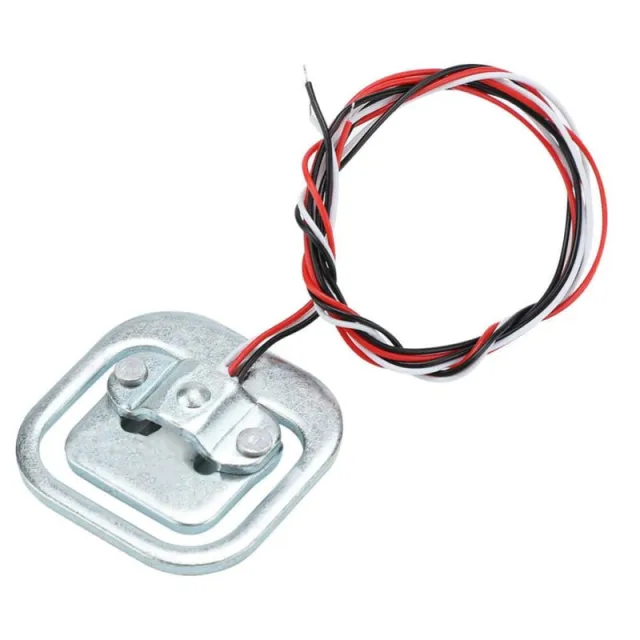
Das Modul verwendet den HX711 als Controller, einen 24-Bit S/D-Wandler-Chip, der speziell für digitale Waagen entwickelt wurde. Zu diesem Modul gehören ein oder zwei Gewichtssensoren, die je nach Gewicht einen variablen Widerstand liefern.
Mit dem HX711 Load-Cell-Verstärker kannst du Gewichtssensoren auf einfache Weise auslesen, um das Gewicht zu bestimmen. Da das Differenzsignal eines Gewichtssensors sehr klein ist, kannst du ihn nicht direkt an einen Arduino anschließen und musst daher diesen Verstärker verwenden.
Das HX711-Modul ist mit einem 24-Bit-ADC ausgestattet, wodurch es die kleinsten Gewichtsunterschiede erkennen kann. Mit Hilfe von Kalibriergewichten kannst du also eine sehr genaue Waage bauen.
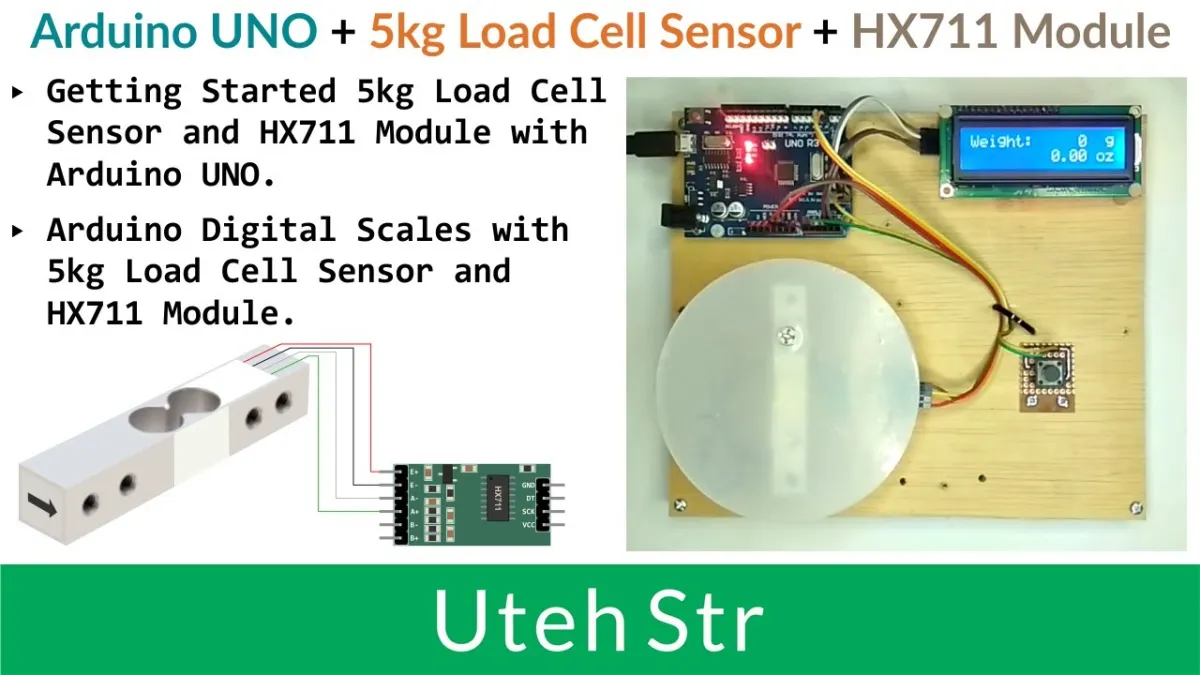
Beim Abspielen wird das Video von YouTube geladen.
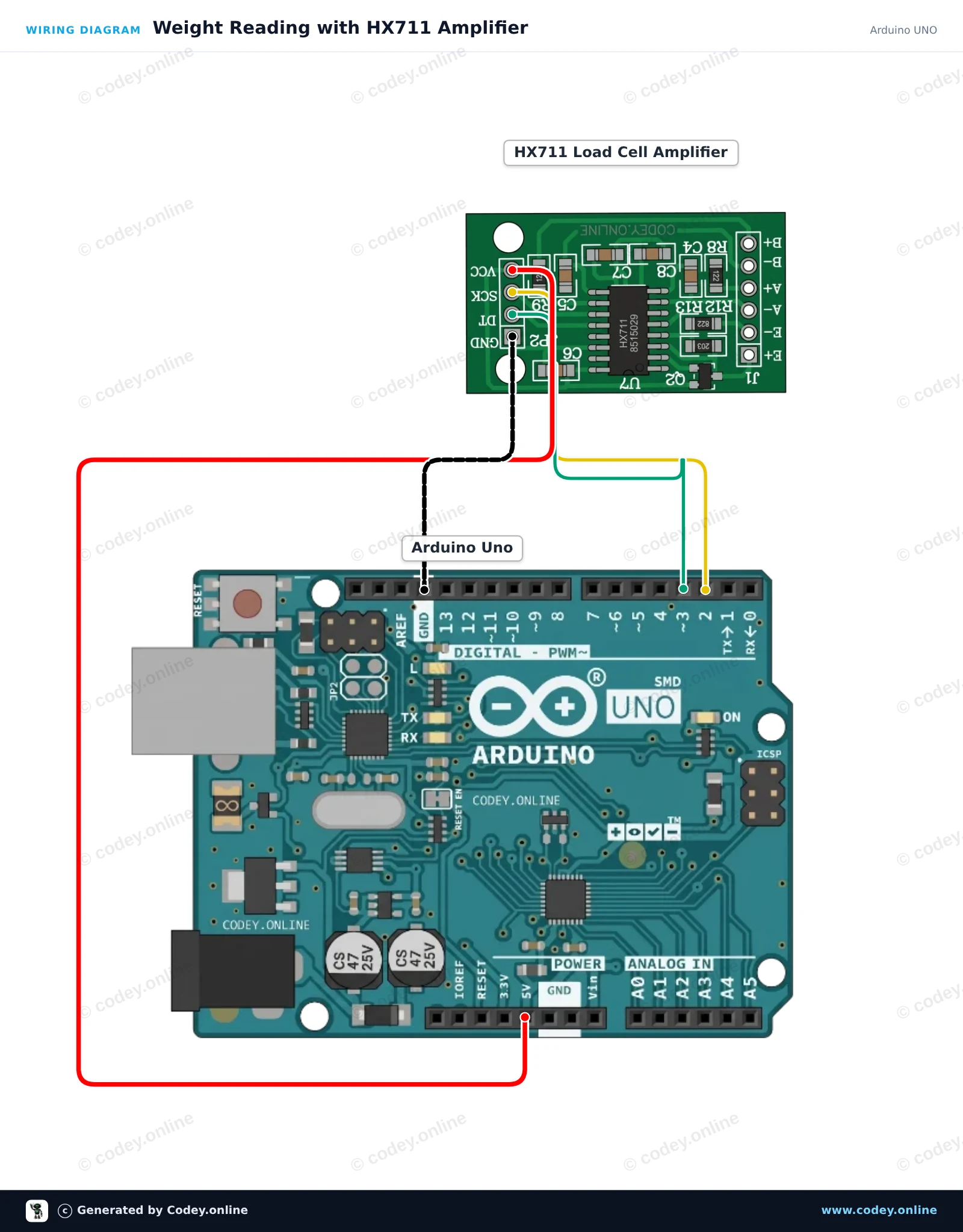
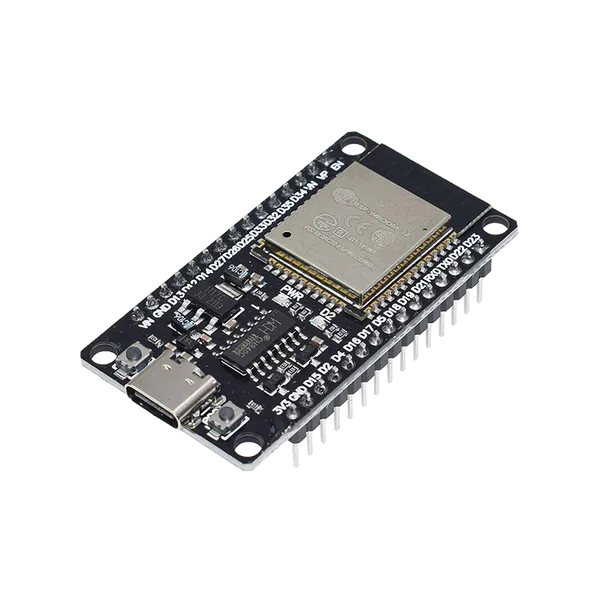
So schließt du den HX711 Wägezellen-Verstärkermodul an einen Arduino UNO oder ESP32 an, mit einem Beispiel-Sketch, den du direkt hochladen kannst.
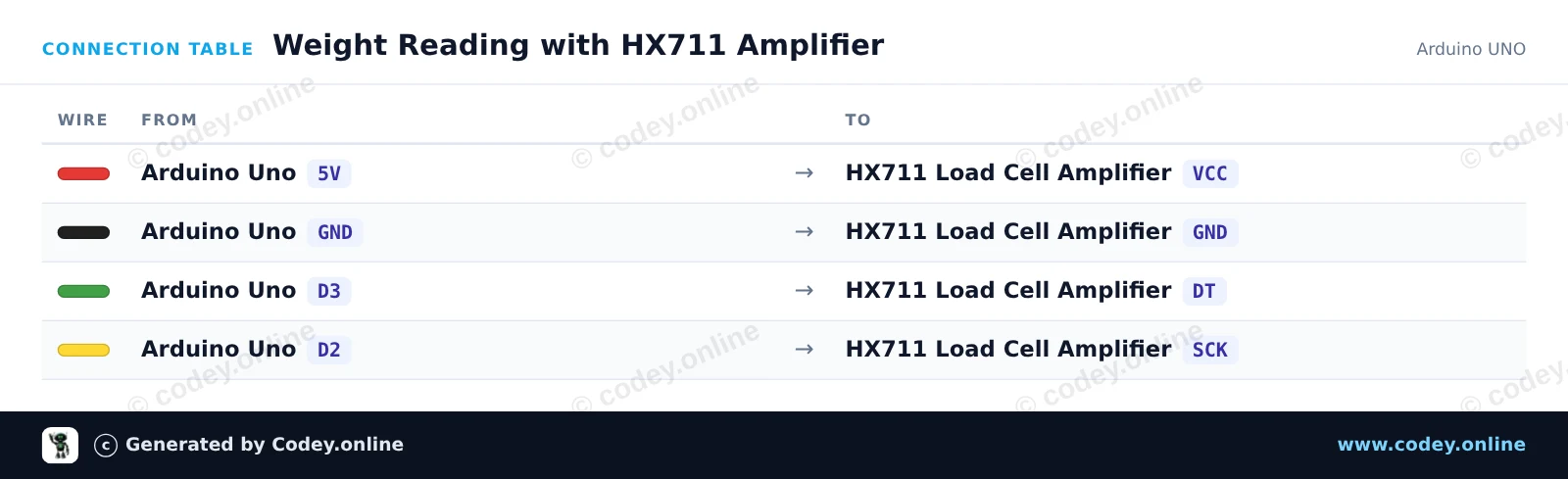
Dieses Beispiel verbindet ein HX711 24-Bit-ADC-Modul mit dem Arduino Uno, um Gewichtsdaten von einer Wägezelle auszulesen. Beim Start tariert das Modul die Waage (setzt sie auf Null) und gibt fortlaufend Gewichtsmessungen im Seriellen Monitor aus.
/*
 * ==================================================================
 *  Generated by Codey.online  —  https://www.codey.online
 * ==================================================================
 *  Project   : Weight Reading with HX711 Amplifier
 *  Board     : Arduino UNO (arduino:avr:uno)
 *  Parts     : HX711 Load Cell Amplifier
 *  Libraries : HX711 Arduino Library 0.7.5
 *
 *  Codey Online is an AI-powered browser IDE for Arduino and ESP32.
 *  Describe your project and Codey writes the code, draws the wiring
 *  diagram and uploads it to your board, straight from the browser.
 *  This code is free to use, modify and share, without warranty.
 * ==================================================================
 */

#include "HX711.h"

const int DOUT_PIN = 3;
const int SCK_PIN = 2;

HX711 scale;

void setup() {
  Serial.begin(115200);
  Serial.println(F("HX711 Load Cell Demo"));

  scale.begin(DOUT_PIN, SCK_PIN);

  Serial.println(F("Taring... ensure no weight is on the scale."));
  scale.set_scale();
  scale.tare();
  Serial.println(F("Tare complete. Place weight on load cell."));
}

void loop() {
  if (scale.is_ready()) {
    long reading = scale.get_units(5);
    Serial.print(F("Reading: "));
    Serial.println(reading);
  } else {
    Serial.println(F("HX711 not detected."));
  }
  delay(500);
}Benötigte Bibliotheken: HX711 Arduino Library 0.7.5
Wiring diagram and example code generated by Codey.online — https://www.codey.online
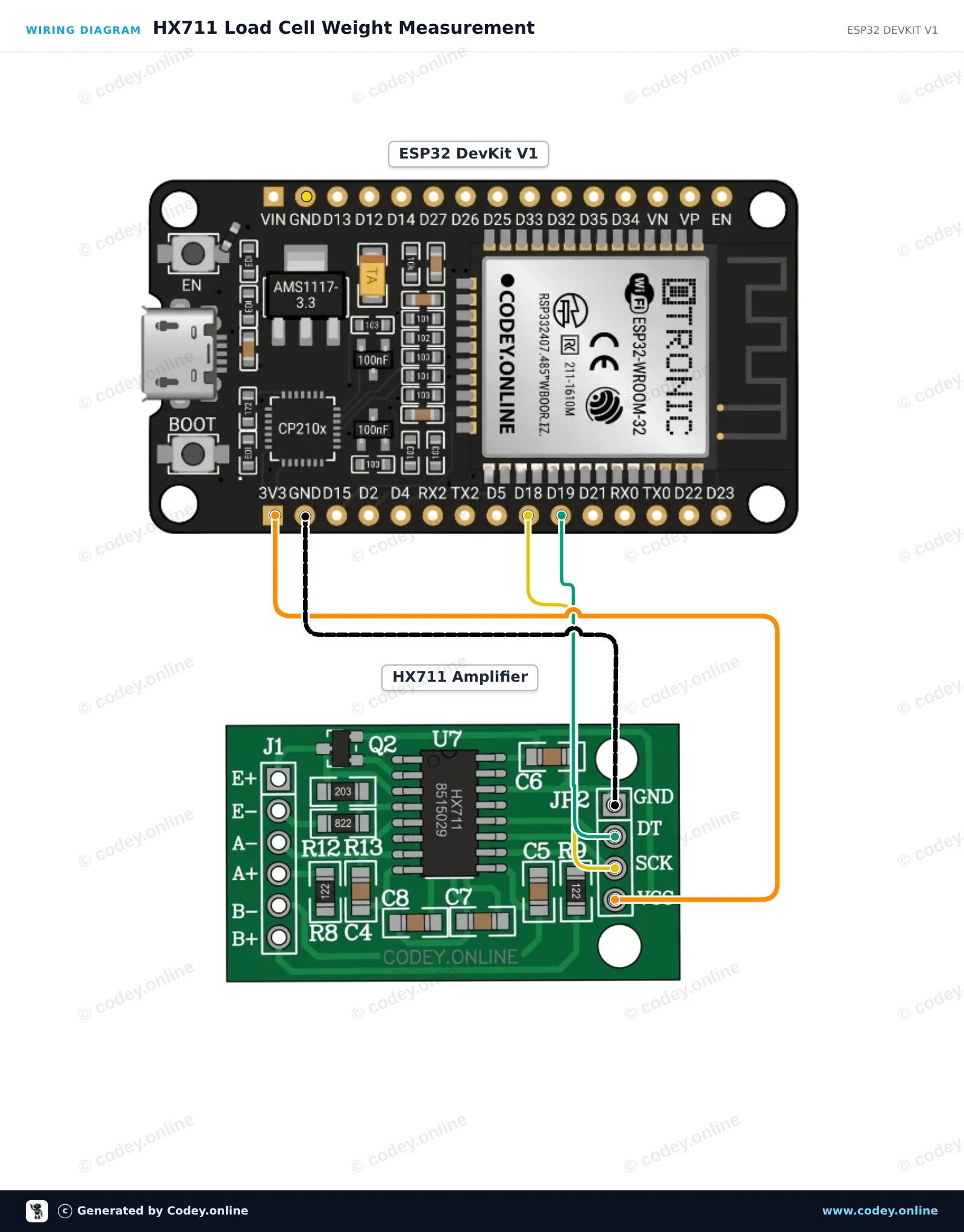
Dieses Projekt verbindet einen HX711 24-bit Load-Cell-Verstärker mit dem ESP32. Beim Start tariert der Sketch die Waage und gibt anschließend kontinuierlich rohe Load-Cell-Messwerte im Serial Monitor mit 115200 baud aus. Die Versorgung des HX711 mit 3.3V stellt sicher, dass die Signalpegel direkt mit den GPIOs des ESP32 kompatibel sind.
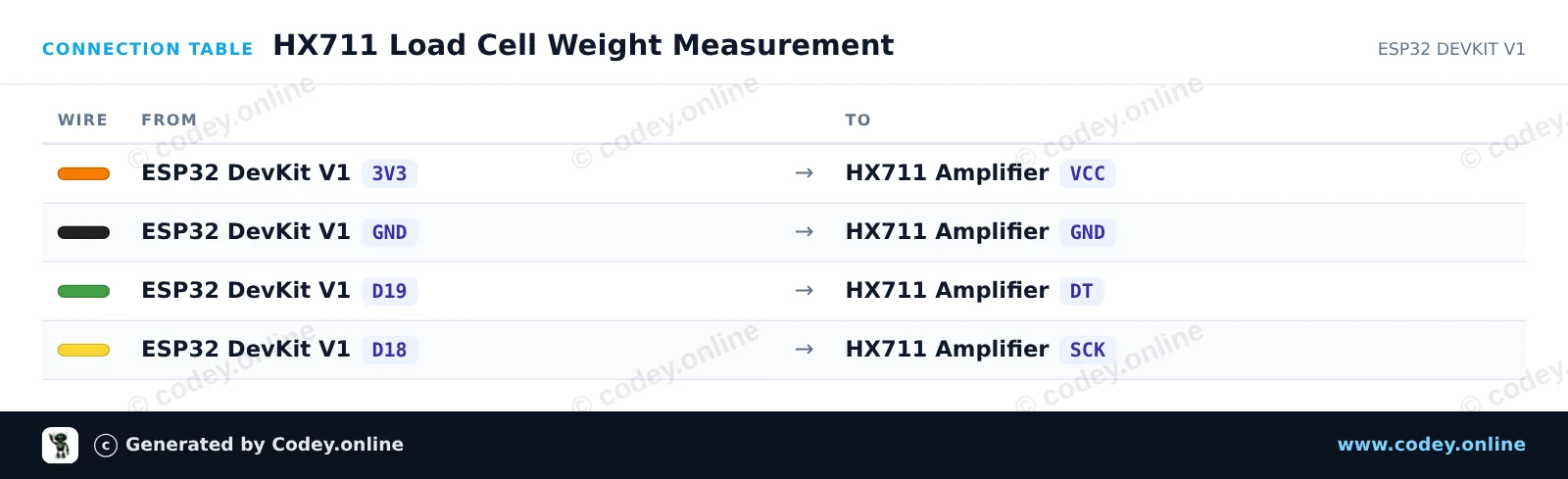
/*
 * ==================================================================
 *  Generated by Codey.online  —  https://www.codey.online
 * ==================================================================
 *  Project   : HX711 Load Cell Weight Measurement
 *  Board     : ESP32 DEVKIT V1 (esp32:esp32:esp32doit-devkit-v1)
 *  Parts     : HX711 Load Cell Amplifier
 *  Libraries : HX711 Arduino Library 0.7.5
 *
 *  Codey Online is an AI-powered browser IDE for Arduino and ESP32.
 *  Describe your project and Codey writes the code, draws the wiring
 *  diagram and uploads it to your board, straight from the browser.
 *  This code is free to use, modify and share, without warranty.
 * ==================================================================
 */

#include "HX711.h"

// Pin definitions (GPIO 19 for DOUT, GPIO 18 for SCK)
const int DOUT_PIN = 19;
const int SCK_PIN = 18;

HX711 scale;

void setup() {
  Serial.begin(115200);
  while (!Serial) { delay(10); }

  Serial.println("HX711 Weight Sensor Demo");
  scale.begin(DOUT_PIN, SCK_PIN);

  Serial.println("Initializing sensor...");
  delay(1000);

  if (scale.is_ready()) {
    scale.set_scale();    // Set default scale factor
    scale.tare();         // Reset the scale to 0 (tare)
    Serial.println("Tare complete. Place weight on the load cell.");
  } else {
    Serial.println("HX711 not detected. Check wiring.");
  }
}

void loop() {
  if (scale.is_ready()) {
    long reading = scale.get_units(5); // Average of 5 readings
    Serial.print("Raw reading: ");
    Serial.println(reading);
  } else {
    Serial.println("HX711 not ready.");
  }
  delay(500);
}Benötigte Bibliotheken: HX711 Arduino Library 0.7.5
Wiring diagram and example code generated by Codey.online — https://www.codey.online






 English
  Nederlands
  Frans
Frans  Italiano
  Español
  Suomi
Suomi  Polski
  Dansk
Dansk  Ελληνικά
  Български
  Čeština
  Hrvatski
  Aileen