SKU: OT3243 Artikelnummer: AB098 EAN: 8720618231314

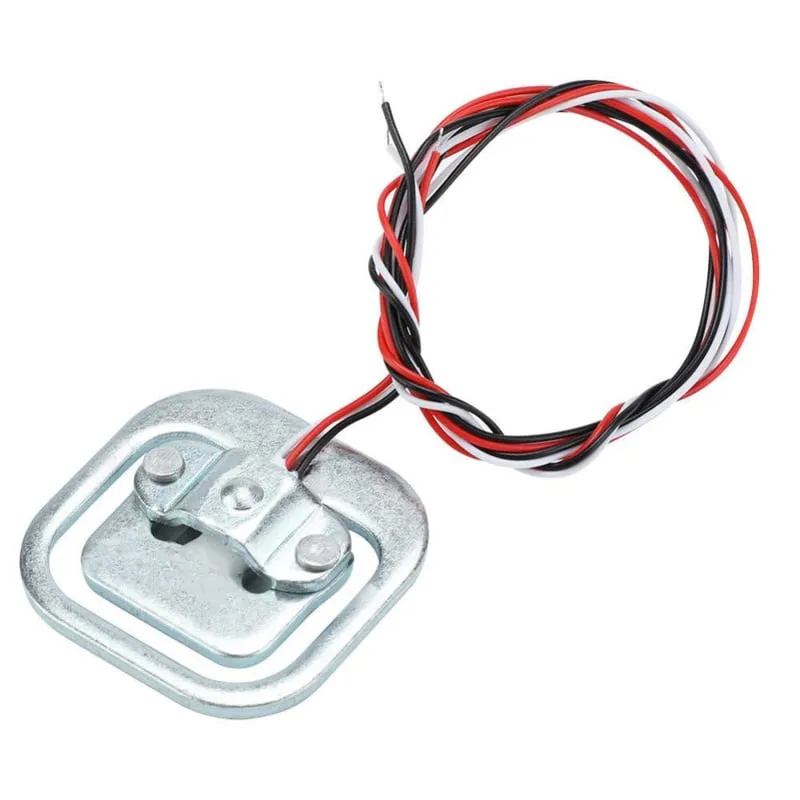
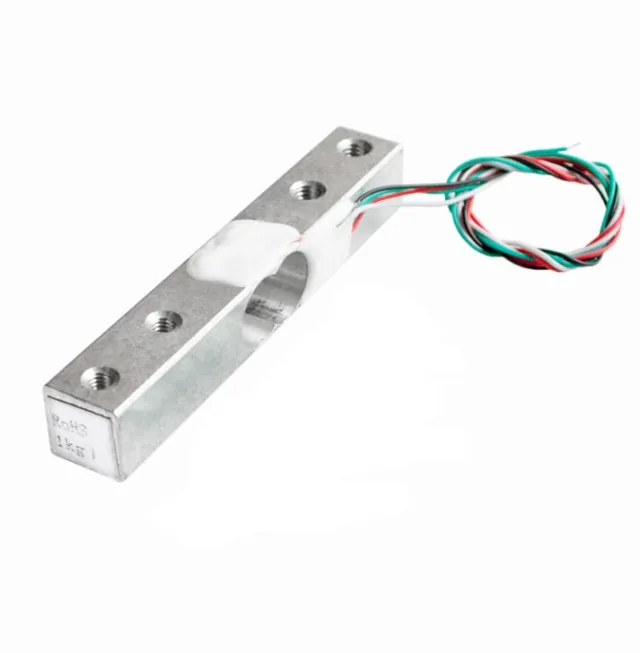
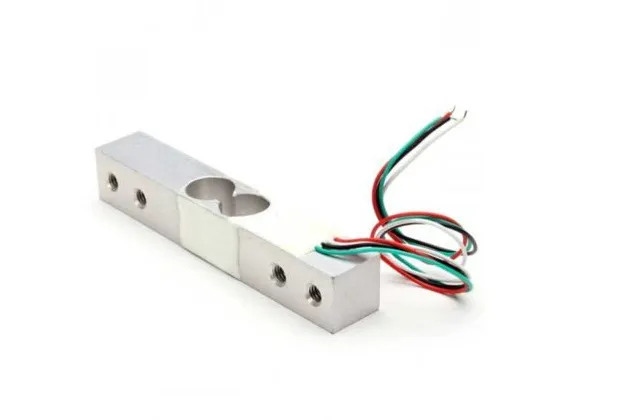
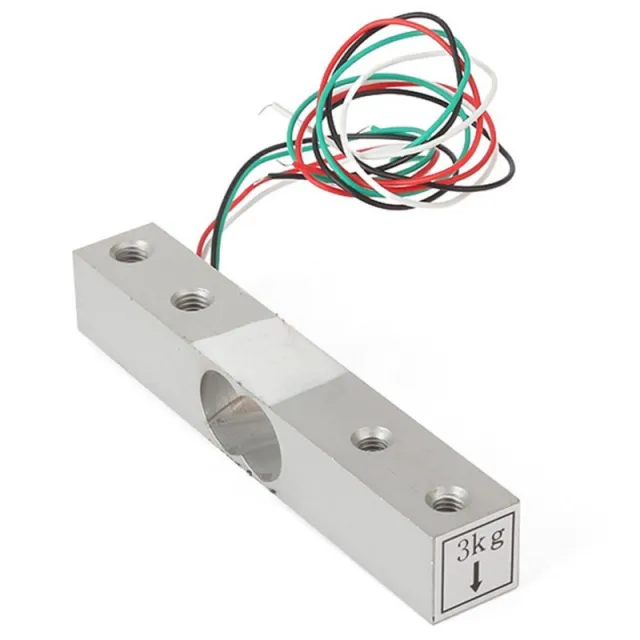
Diese Wägezelle oder Gewichtssensor kann ein Gewicht bis zu 50KG tragen. Wenn Sie ein größeres Gewicht wiegen möchten, ist es möglich, den Sensor zu kombinieren. Durch die Verwendung von beispielsweise 4 Wägezellen von 50KG wird das maximale Gewicht 200KG.
Material: Aluminium
Kapazität: 50KG
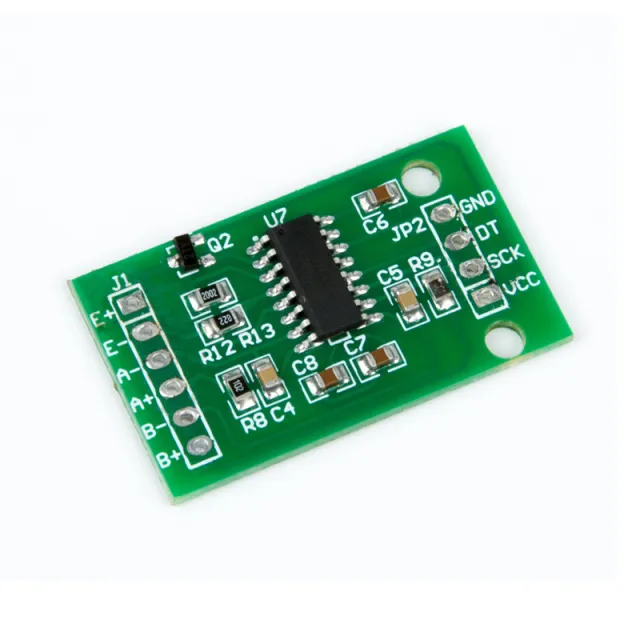
Zu verwenden mit Arduino, ESP32 oder ESP8266 in Kombination mit dem HX711 Weegcelversterker.
Abmessungen
Länge: 3,88cm
Breite: 3,88cm
Höhe: 1,21cm
Beim Abspielen wird das Video von YouTube geladen.
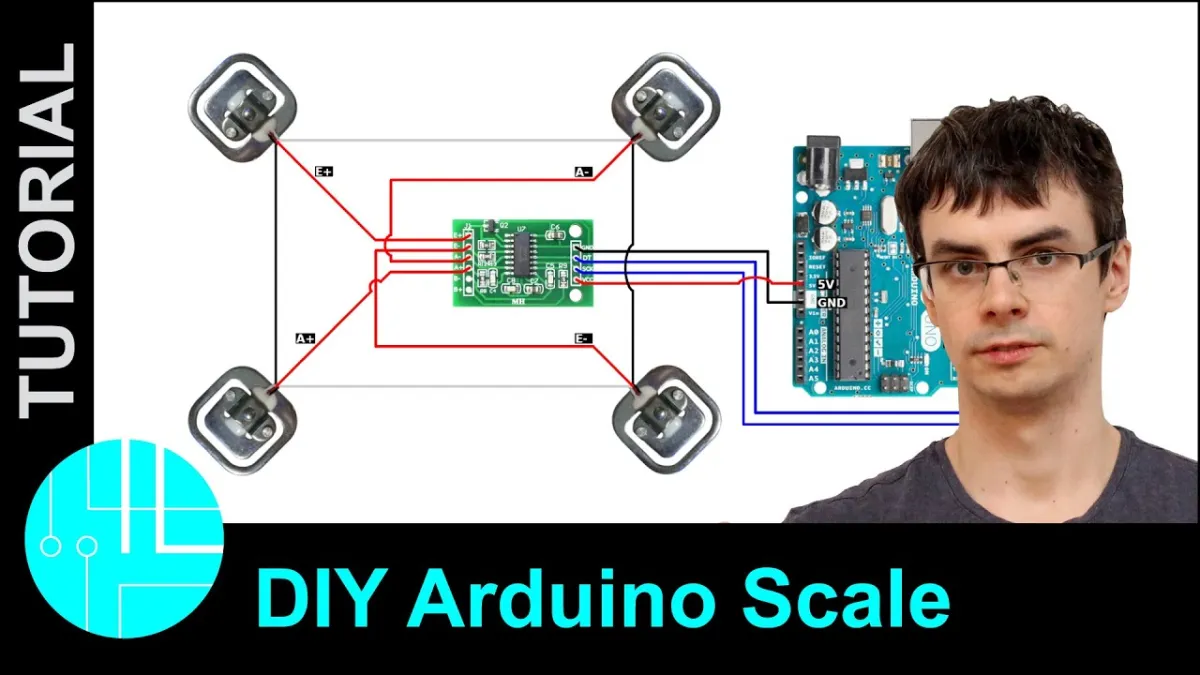
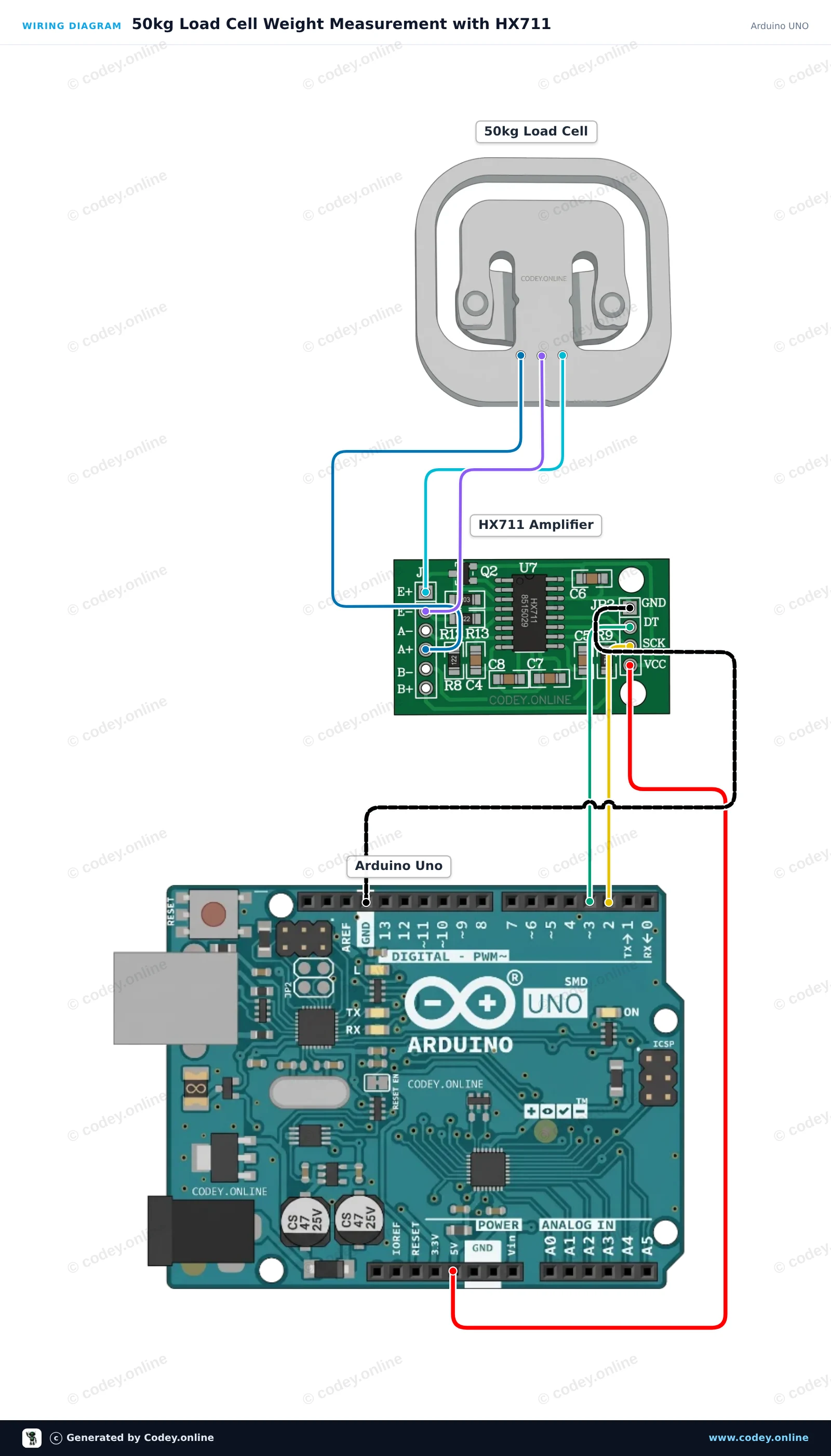
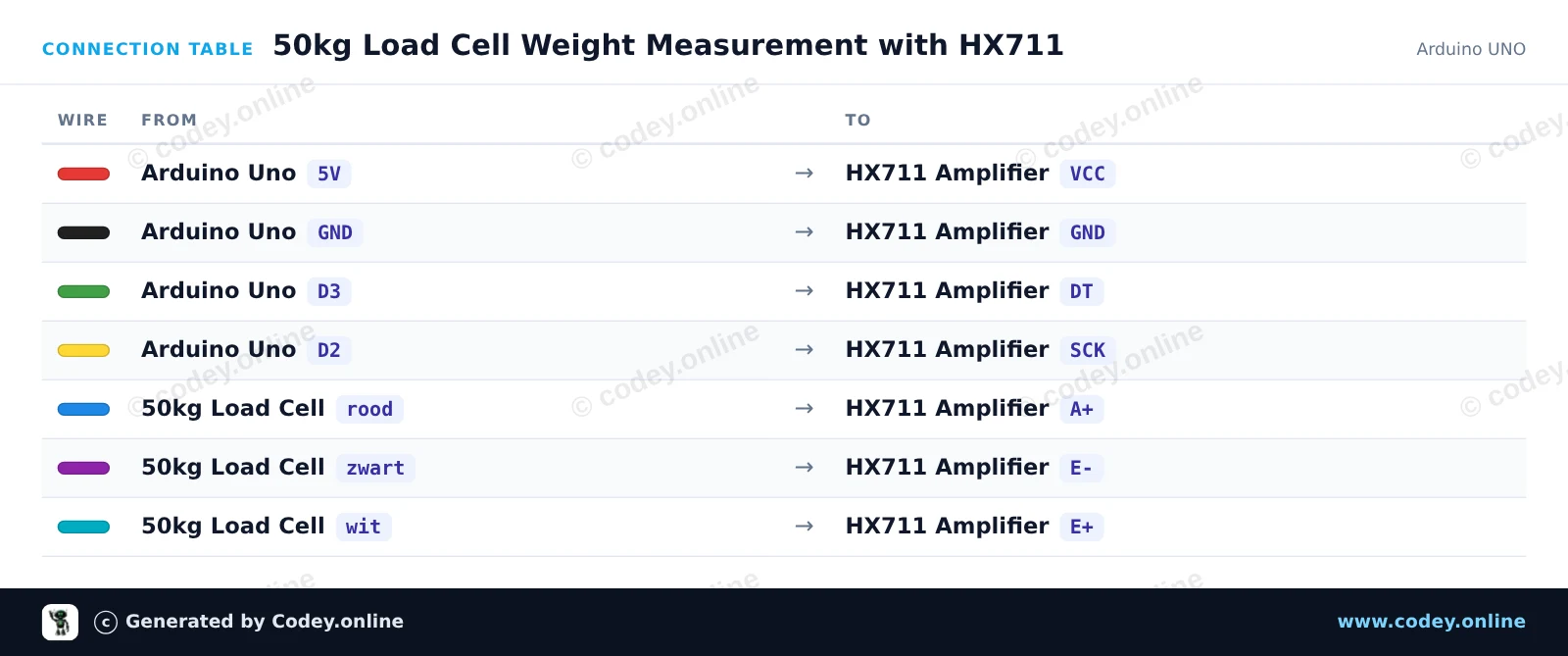
So schließt du den Gewichtsensor bis 50KG an einen Arduino UNO oder ESP32 an, mit einem Beispiel-Sketch, den du direkt hochladen kannst.
Dieses Projekt misst das Gewicht mit einer 50kg Load Cell, die über ein HX711-Verstärkermodul mit einem Arduino Uno verbunden ist. Der Sketch tariert die Waage beim Start und gibt das gemessene Gewicht fortlaufend im Serial Monitor aus. Du kannst die Messung kalibrieren, indem du den Kalibrierungsfaktor mit einem bekannten Gewicht anpasst.
/*
 * ==================================================================
 *  Generated by Codey.online  —  https://www.codey.online
 * ==================================================================
 *  Project   : 50kg Load Cell Weight Measurement with HX711
 *  Board     : Arduino UNO (arduino:avr:uno)
 *  Parts     : 50kg Load Cell Weight Sensor
 *  Libraries : HX711 Arduino Library 0.7.5
 *
 *  Codey Online is an AI-powered browser IDE for Arduino and ESP32.
 *  Describe your project and Codey writes the code, draws the wiring
 *  diagram and uploads it to your board, straight from the browser.
 *  This code is free to use, modify and share, without warranty.
 * ==================================================================
 */

#include "HX711.h"

const int LOADCELL_DOUT_PIN = 3;
const int LOADCELL_SCK_PIN = 2;

HX711 scale;

// Adjust this calibration factor after testing with a known reference weight
float calibration_factor = -7050.0;

void setup() {
  Serial.begin(115200);
  while (!Serial) {
    ; // Wait for serial port to connect
  }

  Serial.println(F("--- HX711 Load Cell Scale ---"));
  Serial.println(F("Initializing scale, do not place weight on the sensor..."));

  scale.begin(LOADCELL_DOUT_PIN, LOADCELL_SCK_PIN);
  scale.set_scale(calibration_factor);
  scale.tare(); // Reset the scale to 0

  Serial.println(F("Tare complete. Ready for measurements."));
}

void loop() {
  if (scale.is_ready()) {
    float weight = scale.get_units(5);
    Serial.print(F("Weight: "));
    Serial.print(weight, 2);
    Serial.println(F(" units"));
  } else {
    Serial.println(F("HX711 not ready."));
  }

  delay(500);
}Benötigte Bibliotheken: HX711 Arduino Library 0.7.5
Wiring diagram and example code generated by Codey.online — https://www.codey.online
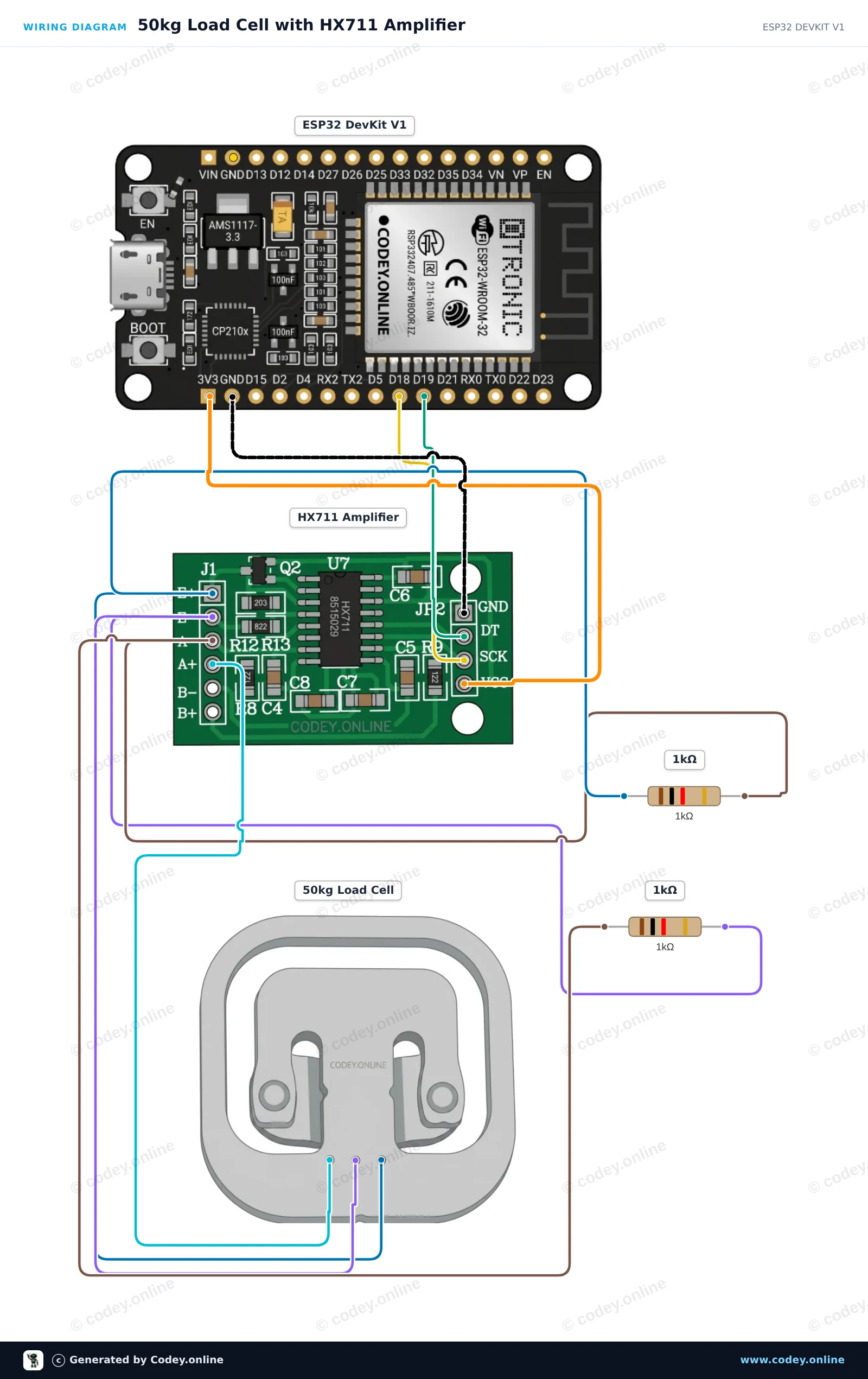
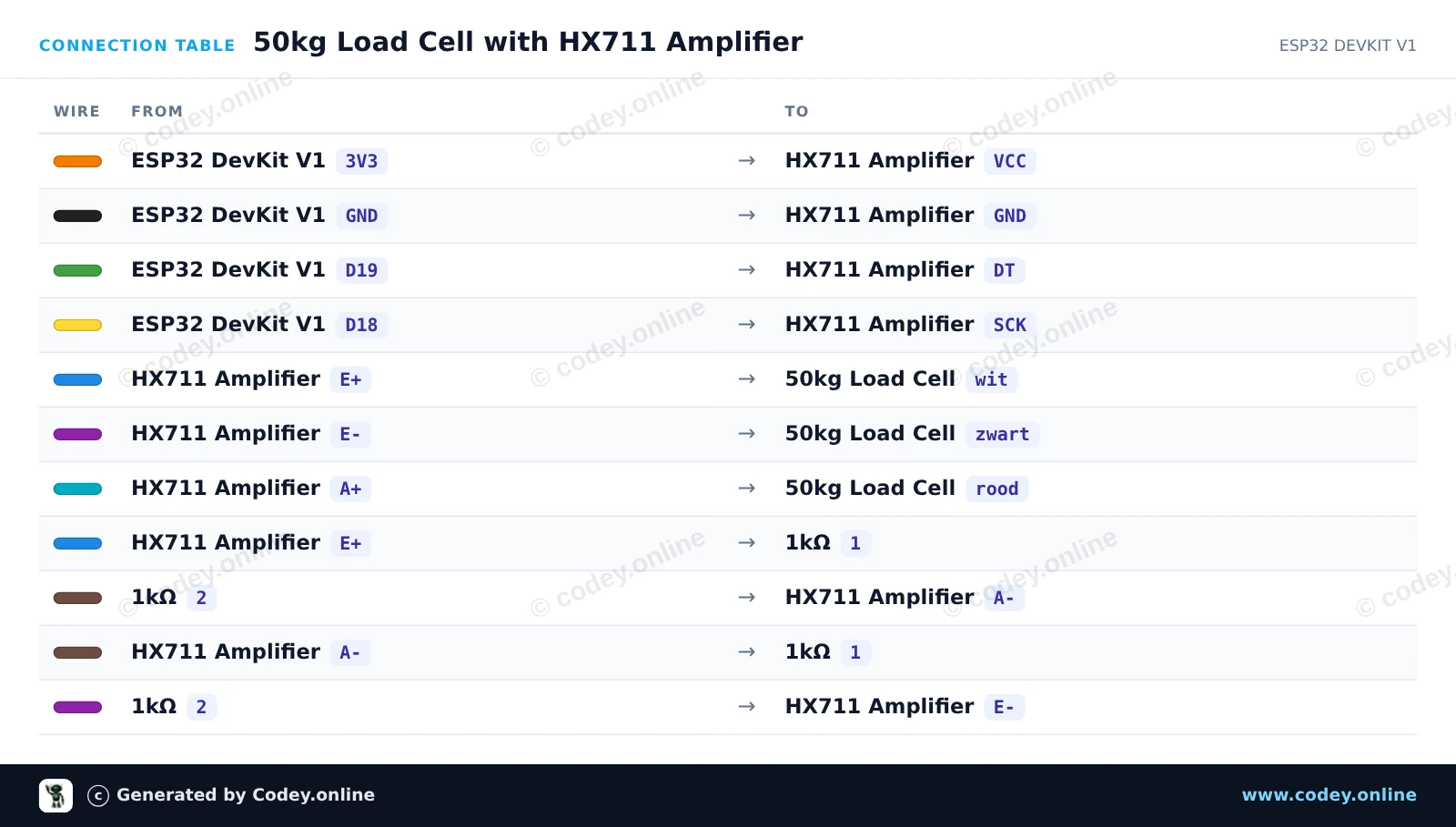
Dieses Projekt liest Gewichtswerte von einer einzelnen 50kg half-bridge load cell mit einem HX711-Verstärker und zwei 1kΩ-Widerständen aus, um die Wheatstone-Brücke zu vervollständigen. Schließe die Schaltung an, lade den Sketch hoch und öffne den Serial Monitor mit 115200 baud, um die Gewichtssensormesswerte in Echtzeit anzuzeigen.
/*
 * ==================================================================
 *  Generated by Codey.online  —  https://www.codey.online
 * ==================================================================
 *  Project   : 50kg Load Cell with HX711 Amplifier
 *  Board     : ESP32 DEVKIT V1 (esp32:esp32:esp32doit-devkit-v1)
 *  Parts     : 50kg Load Cell Weight Sensor
 *  Libraries : HX711 Arduino Library 0.7.5
 *
 *  Codey Online is an AI-powered browser IDE for Arduino and ESP32.
 *  Describe your project and Codey writes the code, draws the wiring
 *  diagram and uploads it to your board, straight from the browser.
 *  This code is free to use, modify and share, without warranty.
 * ==================================================================
 */

#include "HX711.h"

// Pin definitions for HX711
const int DOUT_PIN = 19;
const int SCK_PIN = 18;

HX711 scale;

void setup() {
  Serial.begin(115200);
  Serial.println("50kg Load Cell Demo");

  scale.begin(DOUT_PIN, SCK_PIN);

  Serial.println("Taring scale... Please keep sensor unloaded.");
  delay(1000);
  scale.tare();
  Serial.println("Tare complete. Ready for readings!");
}

void loop() {
  if (scale.is_ready()) {
    long rawValue = scale.get_value(5);
    Serial.print("Raw Load Cell Value: ");
    Serial.println(rawValue);
  } else {
    Serial.println("HX711 not found or not ready.");
  }

  delay(500);
}Benötigte Bibliotheken: HX711 Arduino Library 0.7.5
Wiring diagram and example code generated by Codey.online — https://www.codey.online





 English
  Nederlands
  Frans
Frans  Italiano
  Español
  Suomi
Suomi  Polski
  Dansk
Dansk  Ελληνικά
  Български
  Čeština
  Hrvatski
  Aileen