SKU: OT8822 Artikelnummer: NA061 EAN: 8720828223482

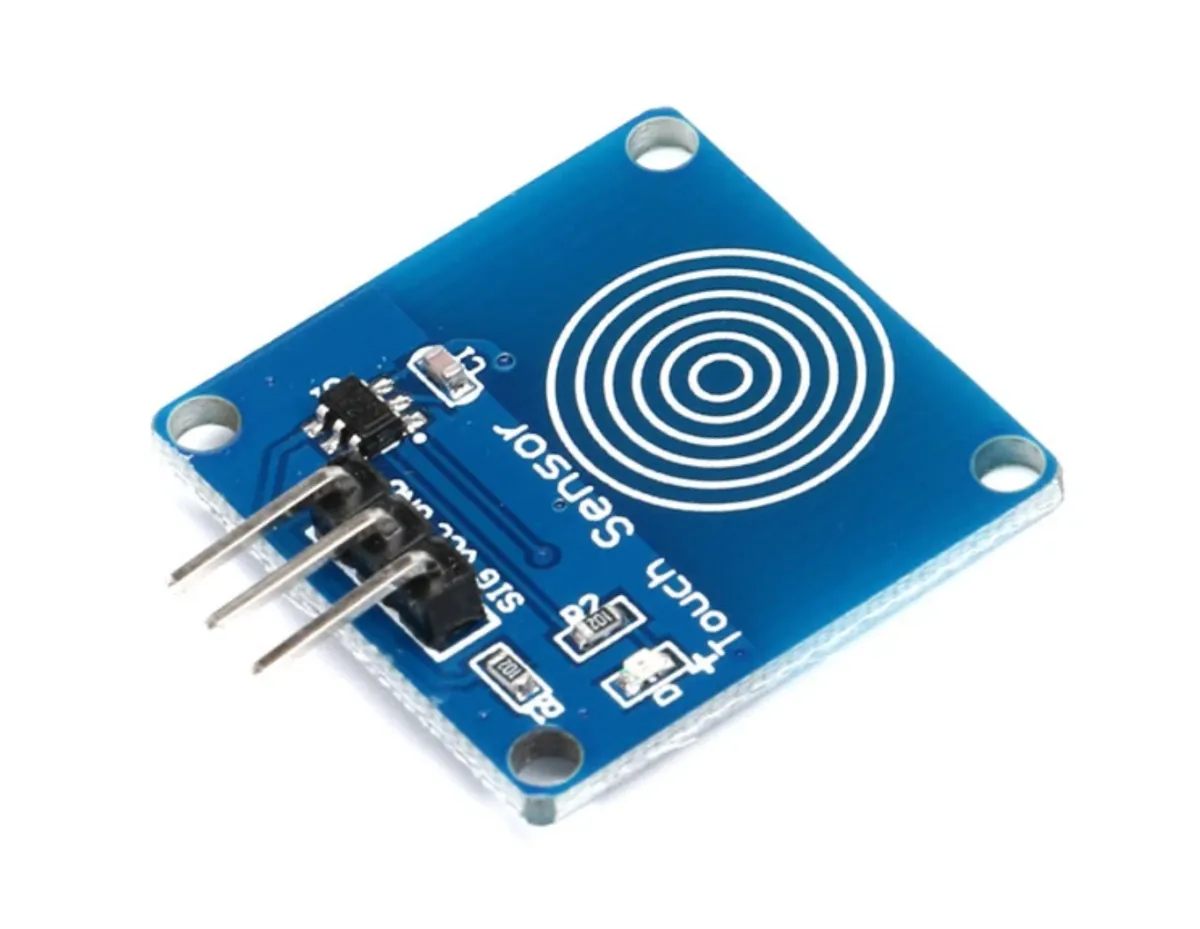
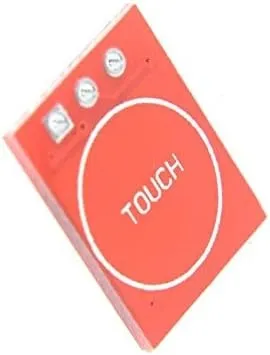
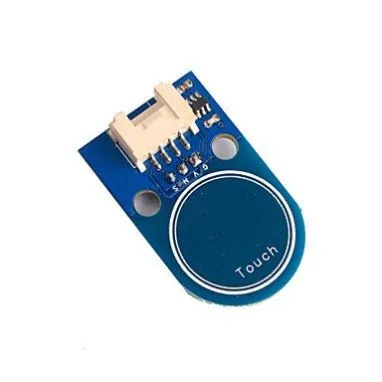
Der TTP223B ist ein kapazitiver Touchsensor, der auf die Berührung eines Objekts oder einer Person auf einer empfindlichen Oberfläche reagiert. Dieser Sensor ist für verschiedene Anwendungen konzipiert, wie z. B. Touch-Bedienung, Touch-Schalter und -Tasten sowie andere touch-aktivierte Geräte.
Technische Spezifikationen TTP223B Touch Sensor:
Der TTP223B Touchsensor verfügt über eine integrierte Entprellschaltung, um Störungen zu vermeiden. Der Stromverbrauch ist gering, weniger als 1 mA im Standby-Modus. Der Sensor hat eine schnelle Reaktionszeit von weniger als 60 ms und eine lange Lebensdauer von mehr als 100.000 Zyklen.
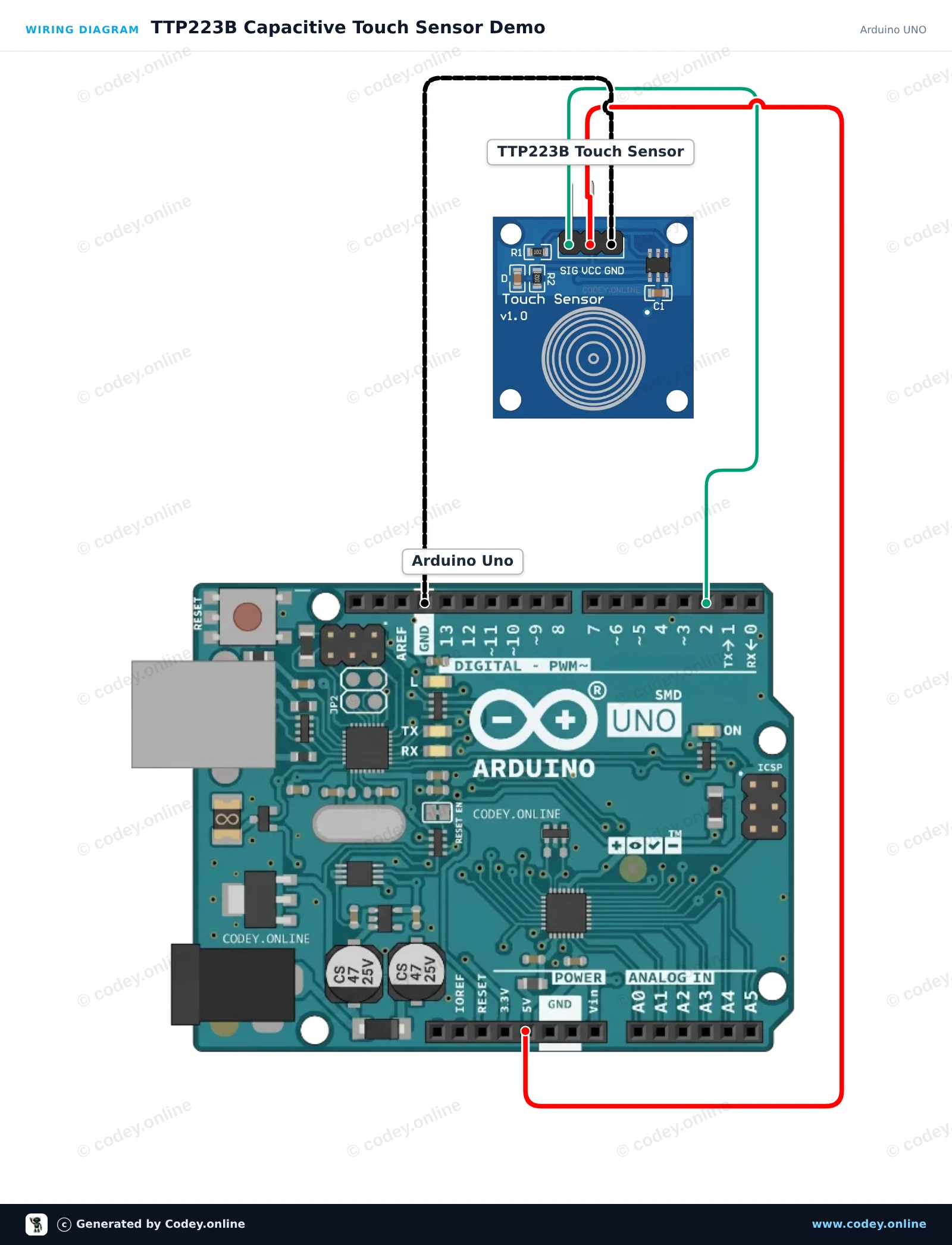
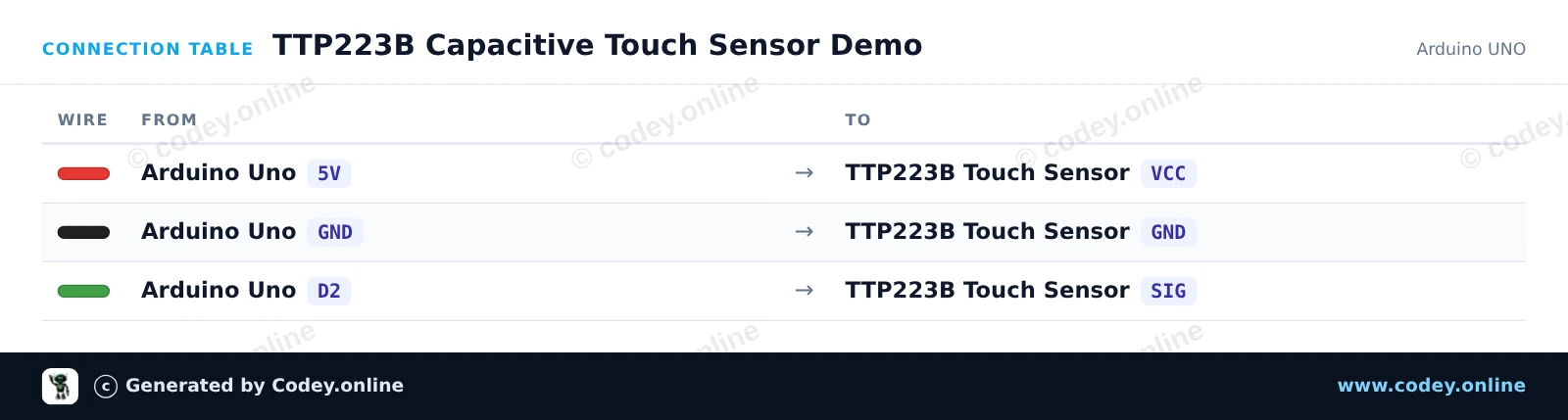
So schließt du den Touchsensor TTP223B an einen Arduino UNO oder ESP32 an, mit einem Beispiel-Sketch, den du direkt hochladen kannst.
Dieses Projekt zeigt das TTP223B kapazitive Berührungssensormodul. Wenn du das kapazitive Touch-Pad berührst, gibt der Sensor ein HIGH-Signal aus, das die eingebaute LED des Arduino einschaltet und den Status im Serial Monitor ausgibt.
/*
 * ==================================================================
 *  Generated by Codey.online  —  https://www.codey.online
 * ==================================================================
 *  Project   : TTP223B Capacitive Touch Sensor Demo
 *  Board     : Arduino UNO (arduino:avr:uno)
 *  Parts     : Touch sensor TTP223B
 *  Libraries : none (built-in)
 *
 *  Codey Online is an AI-powered browser IDE for Arduino and ESP32.
 *  Describe your project and Codey writes the code, draws the wiring
 *  diagram and uploads it to your board, straight from the browser.
 *  This code is free to use, modify and share, without warranty.
 * ==================================================================
 */

// Pin definitions
const int touchPin = 2;
const int ledPin = 13;

int lastState = LOW;

void setup() {
  pinMode(touchPin, INPUT);
  pinMode(ledPin, OUTPUT);

  Serial.begin(115200);
  Serial.println(F("TTP223B Touch Sensor Initialized"));
}

void loop() {
  int touchState = digitalRead(touchPin);

  // Control onboard LED based on touch input
  digitalWrite(ledPin, touchState);

  // Print message on state change
  if (touchState != lastState) {
    if (touchState == HIGH) {
      Serial.println(F("Touch detected!"));
    } else {
      Serial.println(F("Touch released."));
    }
    lastState = touchState;
  }

  delay(20);
}Wiring diagram and example code generated by Codey.online — https://www.codey.online
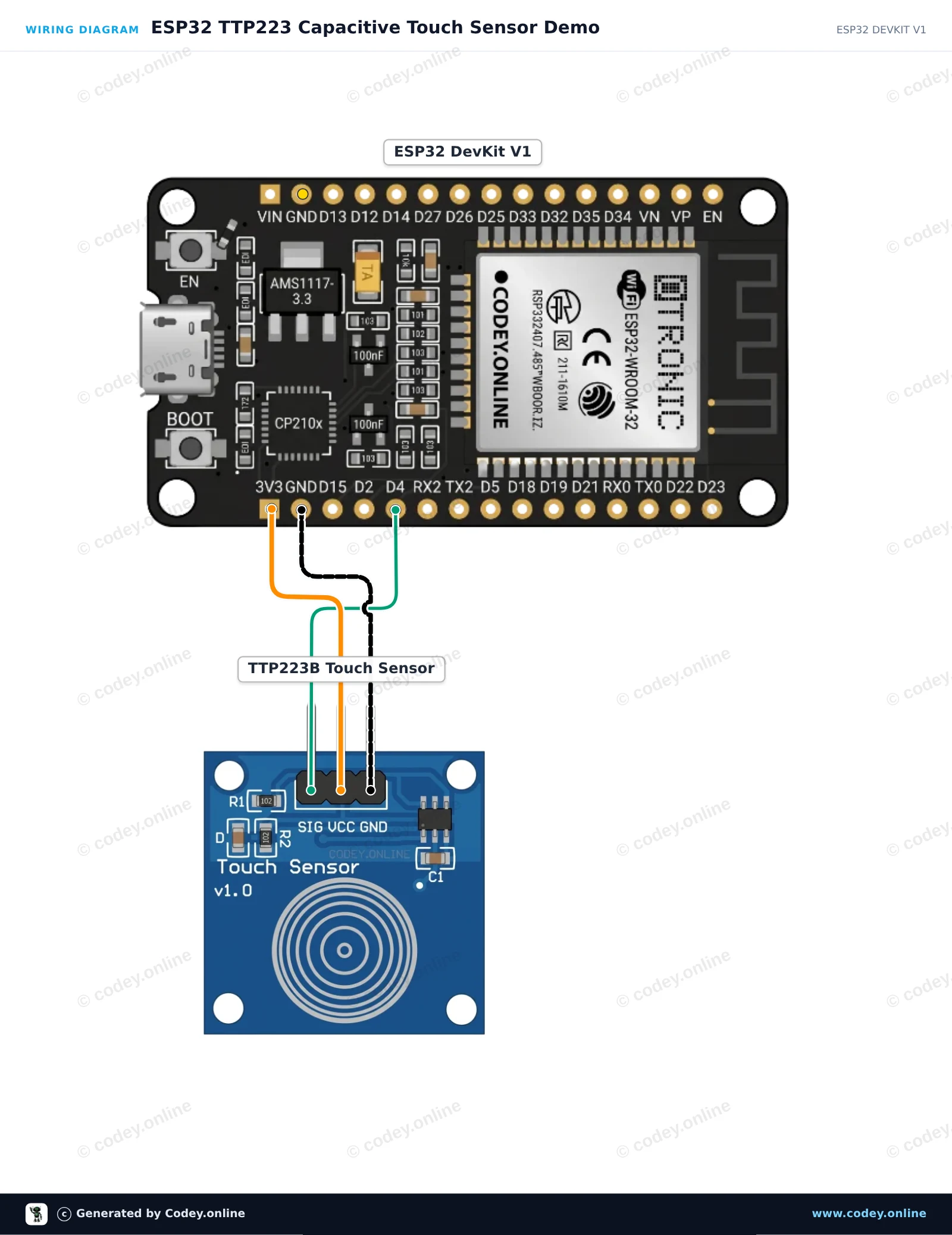
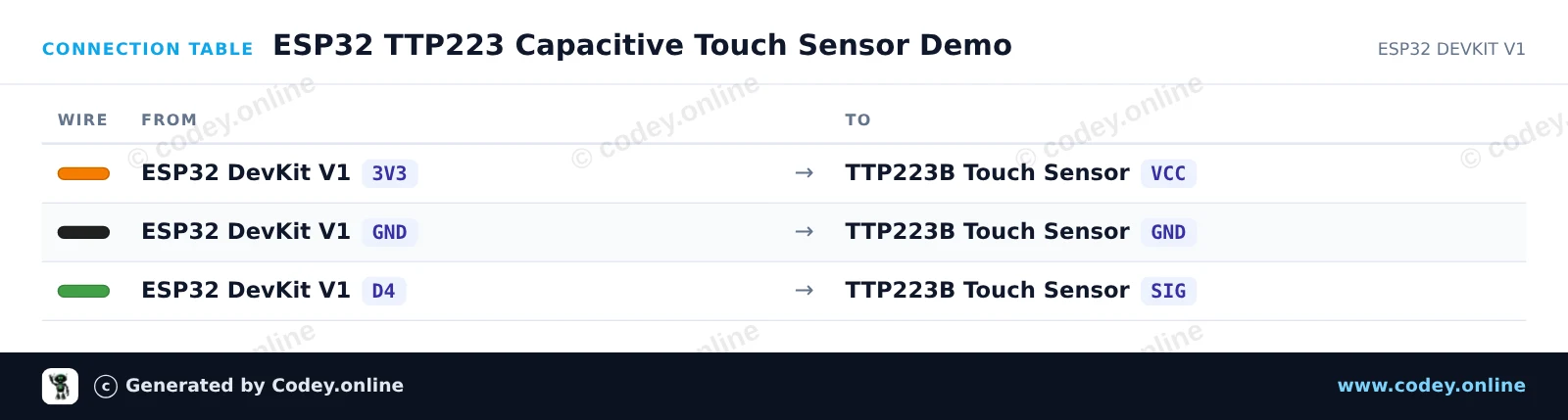
Diese Schaltung liest digitale Signale vom TTP223 kapazitiven Berührungssensor aus und gibt den Zustand auf der eingebauten LED des ESP32 wieder. Wenn du das Sensorkontaktfeld berührst, wird der Signalpin HIGH, wodurch die onboard LED aufleuchtet und Berührungsereignisse im Serial Monitor ausgegeben werden. Das Modul wird direkt mit 3.3V versorgt, um eine sichere Logikkompatibilität zu gewährleisten.
/*
 * ==================================================================
 *  Generated by Codey.online  —  https://www.codey.online
 * ==================================================================
 *  Project   : ESP32 TTP223 Capacitive Touch Sensor Demo
 *  Board     : ESP32 DEVKIT V1 (esp32:esp32:esp32doit-devkit-v1)
 *  Parts     : Touch sensor TTP223B
 *  Libraries : none (built-in)
 *
 *  Codey Online is an AI-powered browser IDE for Arduino and ESP32.
 *  Describe your project and Codey writes the code, draws the wiring
 *  diagram and uploads it to your board, straight from the browser.
 *  This code is free to use, modify and share, without warranty.
 * ==================================================================
 */

const int TOUCH_PIN = 4;   // D4 on ESP32 DevKit V1
const int LED_PIN   = 2;   // Onboard LED on ESP32 DevKit V1

int lastState = LOW;

void setup() {
  Serial.begin(115200);
  pinMode(TOUCH_PIN, INPUT);
  pinMode(LED_PIN, OUTPUT);
  digitalWrite(LED_PIN, LOW);
  Serial.println("TTP223 Touch Sensor Initialized.");
}

void loop() {
  int touchState = digitalRead(TOUCH_PIN);

  if (touchState != lastState) {
    if (touchState == HIGH) {
      digitalWrite(LED_PIN, HIGH);
      Serial.println("Touch detected!");
    } else {
      digitalWrite(LED_PIN, LOW);
      Serial.println("Touch released.");
    }
    lastState = touchState;
    delay(50); // Simple debounce delay
  }
}Wiring diagram and example code generated by Codey.online — https://www.codey.online





 English
  Nederlands
  Frans
Frans  Italiano
  Español
  Suomi
Suomi  Polski
  Dansk
Dansk  Ελληνικά
  Български
  Čeština
  Hrvatski
  Aileen